01
Property
Identify the place being inspected.
Home Xplorer
Property Inspection Platform
Home Xplorer was built around a simple idea: make property inspections easier to capture, easier to understand and easier to turn into a useful record.
The Challenge
Property inspections involve real places, multiple rooms, visual information and observations that need to be captured accurately.
The Approach
Turn the inspection into a guided workflow that follows the way an inspector naturally moves through a property.
The Goal
Capture structured information at the source and produce a clear inspection record that can be revisited later.
The Problem
A property inspection creates information from several different sources at the same time. The inspector is moving through a physical space, recording observations, capturing photographs and building a picture of the property's condition.
The challenge is keeping that information organised and connected to the place where it was captured.
A useful inspection record needs to answer more than 'What photos were taken?' It needs to make it clear which property was inspected, which room the information belongs to, what was observed and how the captured information fits together.
01
Identify the place being inspected.
02
Break the property into manageable areas.
03
Record what is actually found.
04
Capture visual evidence alongside the inspection.
05
Bring the inspection into one usable record.
The goal wasn't simply to digitise an inspection.
It was to give the information a structure.
The Workflow
Instead of forcing the inspector to think about the software, Home Xplorer is structured around the way an inspection naturally happens — starting with the property and moving through each room.
Start with the property details so the inspection has a clear home from the beginning.
Break the property into individual spaces that can be inspected and documented separately.
Move through the property room by room, recording observations as the inspection happens.
Attach photographs directly to the room they belong to, keeping visual information connected to the inspection.
Bring the captured information together into a structured inspection summary.
Turn the completed inspection into a clear record that can be revisited after the inspection is finished.
Product Principle
The closer the software matches the real-world workflow, the less mental overhead it creates. Home Xplorer keeps the inspection context attached to the information being captured, rather than asking the user to reconstruct that context later.
That principle shaped the way the inspection, room navigation, photographs and summary experience were designed.
The Product
Home Xplorer turns the inspection process into a sequence of simple, connected steps. Each part of the interface exists to help the inspector capture information without losing the context around it.
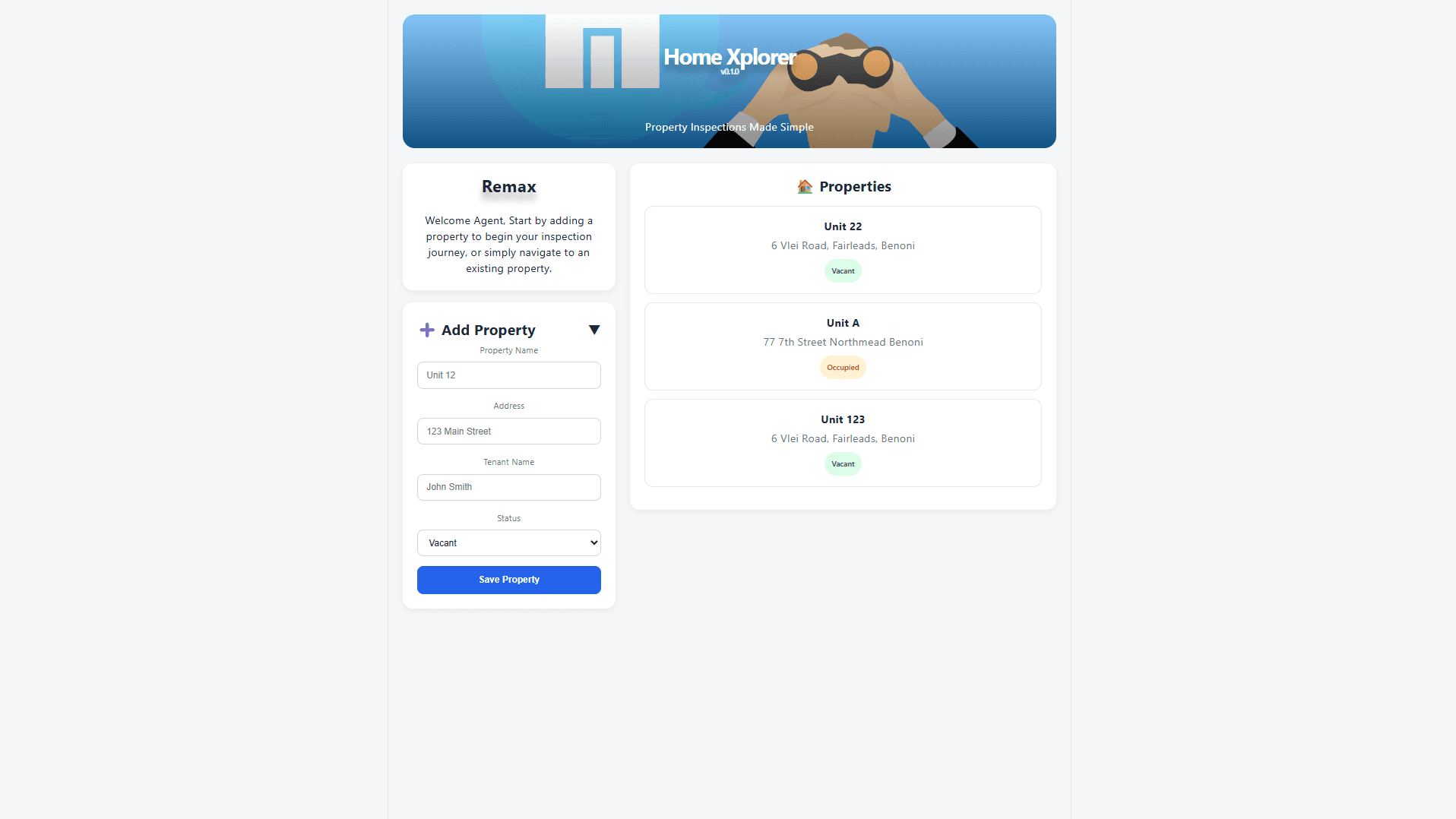
01 · Property
Every inspection begins with the property itself. The workflow establishes that context first, giving everything captured afterwards a clear place to belong.
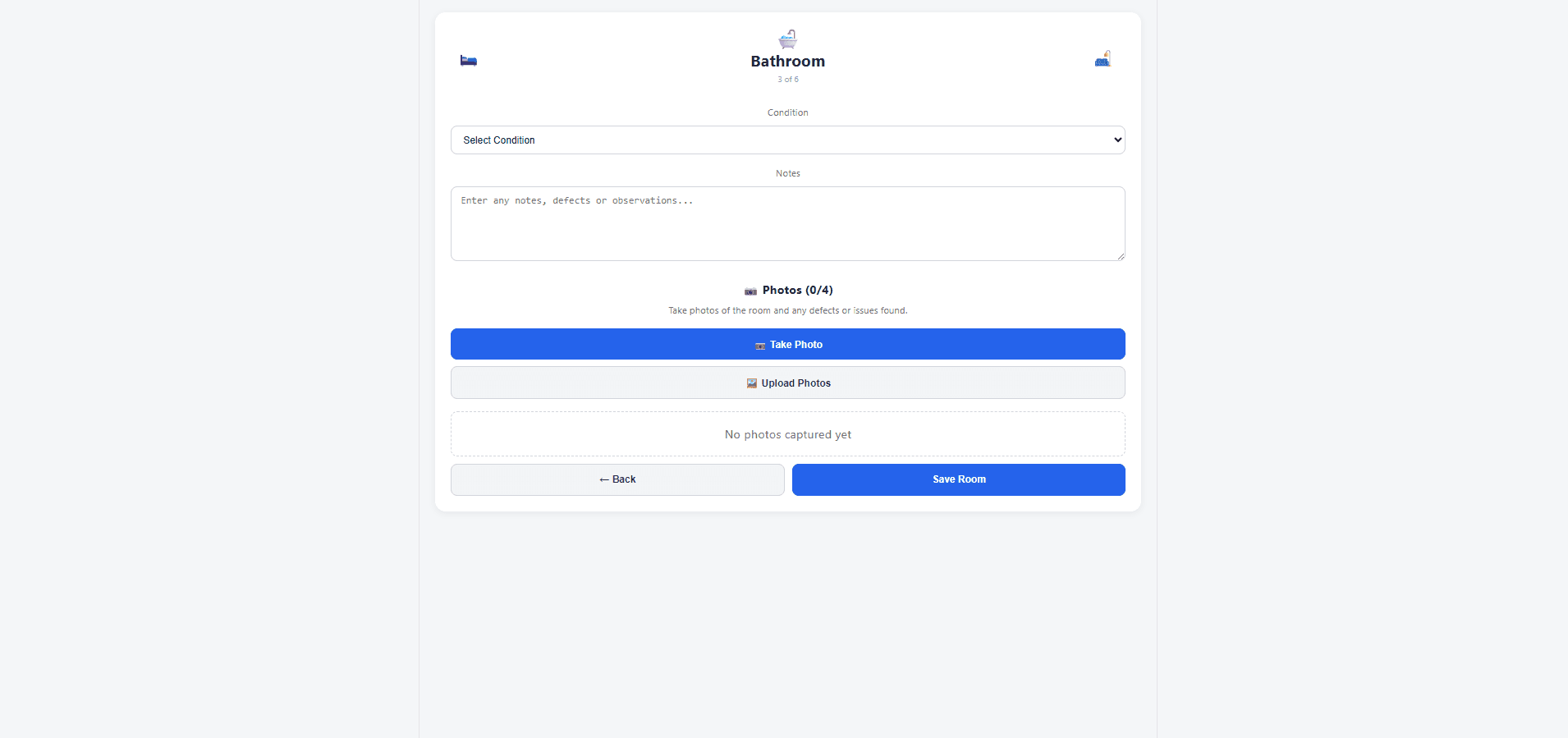
02 · Inspection
The inspection interface keeps the current room at the centre of the workflow, allowing observations and captured information to stay connected to the space being inspected.
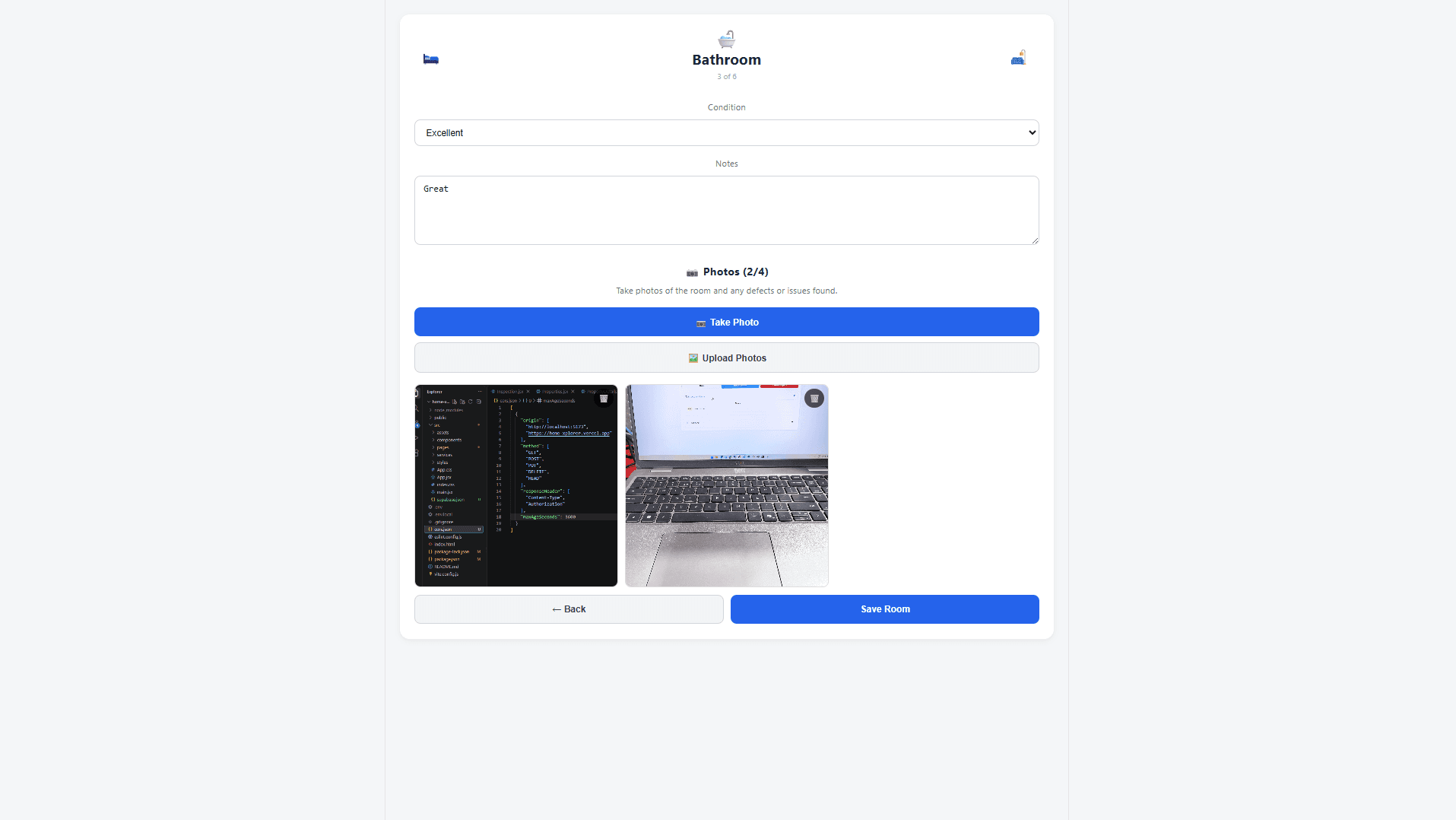
03 · Visual Evidence
Photographs are captured as part of the room inspection, rather than existing as a separate collection of images. This keeps the visual evidence connected to the area being documented.
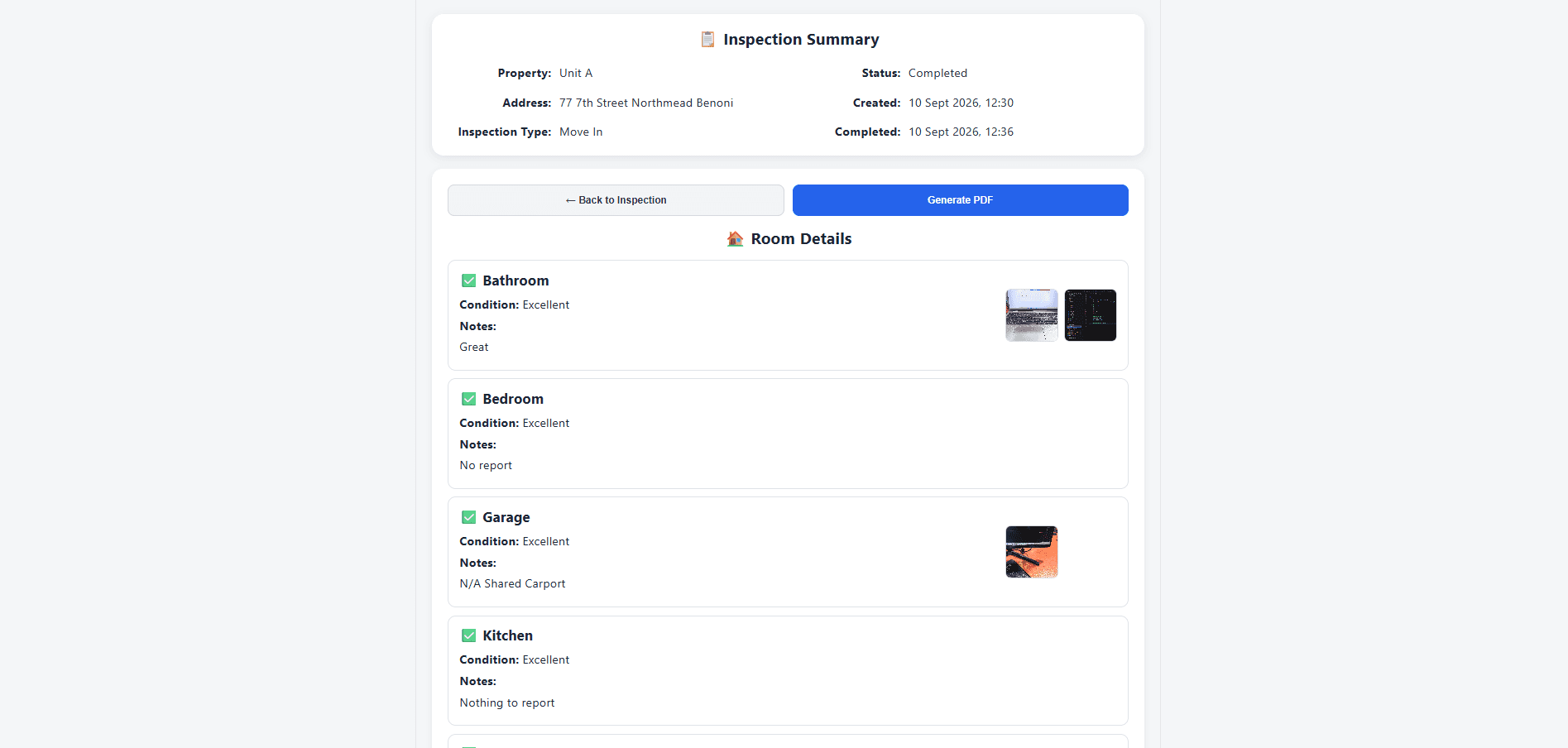
04 · Summary
Once the inspection is complete, the captured information is brought together into a single summary, giving the user a clear view of what was recorded across the property.
The interface stays out of the way of the inspection.
The workflow does the organising.
Engineering
Building Home Xplorer meant solving problems across the full application — from structuring inspection data to handling photographs and turning the completed inspection into a usable record.
The engineering decisions were driven by the workflow rather than the technology itself. Each part of the stack existed to support a specific part of the product experience.
Application Architecture
The application was structured around the inspection itself, with property information, rooms, observations and captured photographs forming connected parts of the same workflow.
Data & Storage
Inspection data and uploaded photographs needed to remain associated with the correct property and room, while storage permissions and access had to be handled as part of the application.
Photo Handling
Photographs weren't treated as an unrelated upload feature. They were tied directly to the room being inspected, with the interface controlling how many images could be captured for each room.
Reporting
The completed inspection needed to move beyond the application itself. The summary experience brings the captured information together and provides a way to produce a PDF record of the inspection.
The engineering followed the workflow.
Not the other way around.
Outcome & Reflection
Home Xplorer gave me the opportunity to take a process that happens in the physical world and translate it into software without losing the context that makes the process useful.
The project reinforced something I keep coming back to: software doesn't need to make a process feel more complicated simply because the underlying problem is complicated.
The best result was a workflow that felt familiar to the person doing the inspection while quietly taking care of the structure behind it.
Product Thinking
Understanding how the work actually happens creates better foundations for deciding what the software should do.
Engineering
Data, storage and application structure should make the product easier to use, not become obstacles the user has to think about.
Learning
Building around an actual use case creates decisions and constraints that aren't always visible when software is designed in isolation.
Home Xplorer wasn't just about building an inspection tool.
It was about learning how to turn a real-world process into a product.